

Step-by-Step Guidance for Every Feature
Our comprehensive tutorials at LUCKY TOWN PLUS provide clear, step-by-step instructions for every feature on the platform. Whether you are a new user just getting started or an experienced player exploring advanced options, these guides help you navigate the LUCKY TOWN PLUS ecosystem with confidence and ease.
All Features Covered in One Place
From initial account setup to exciting gameplay, from making your first deposit to processing a withdrawal, and everything in between – the LUCKY TOWN PLUS tutorials hub covers all aspects of your gaming experience, ensuring you always have the information you need.
Tutorial 1: How to Recommend Friends at LUCKY TOWN PLUS

Complete Guide to Referring Friends and Earning Rewards
Learn how to invite friends to LUCKY TOWN PLUS using your unique QR code or personal referral link. This tutorial covers QR code generation, various sharing options (social media, messaging apps, copying the link), and helpful troubleshooting tips if your code isn't working.
View Recommend Friends GuideTutorial 2: Real Name Verification at LUCKY TOWN PLUS
Complete Identity Verification Guide for Secure Withdrawals
Complete your identity verification at LUCKY TOWN PLUS by adding a bank account and submitting your real name. This essential process is required for all withdrawals and enhances your account security. Processing typically takes up to 3 working days. Your submitted name must match your bank account exactly.
View Real Name Verification GuideTutorial 3: Bank Transfer Top Up at LUCKY TOWN PLUS
Complete Bank Transfer Deposit Guide for Malaysian Banks
Deposit funds into your LUCKY TOWN PLUS account via bank transfer. Choose from major Malaysian banks including Maybank, Public Bank, CIMB, Hong Leong, RHB, AmBank, and others. Minimum deposit is RM20, maximum RM20,000. Follow the steps to copy the account number, complete the transfer, upload your receipt, and have your funds credited within 10 minutes.
View Bank Transfer Top Up GuideTutorial 4: TNG Transfer Top Up at LUCKY TOWN PLUS
Complete Touch N Go E-Wallet Deposit Guide
Top up your account quickly using TNG (Touch N Go) at LUCKY TOWN PLUS. Select the TNG option, enter your desired amount, and complete the payment seamlessly via your TNG e-wallet. This method offers fast and convenient mobile deposits with minimal processing time.
View TNG Transfer Top Up GuideTutorial 5: Duit Now Top Up at LUCKY TOWN PLUS
Complete Duit Now QR Code Deposit Guide
Use the Duit Now QR code feature for instant deposits at LUCKY TOWN PLUS. Choose UPay or Go Pay, scan the generated QR code, and complete the payment. Minimum deposit is RM20, maximum RM2,500, processed within 15 minutes. Remember to scan promptly to avoid QR code timeout.
View Duit Now Top Up GuideTutorial 6: TNG Scan QR Top Up at LUCKY TOWN PLUS
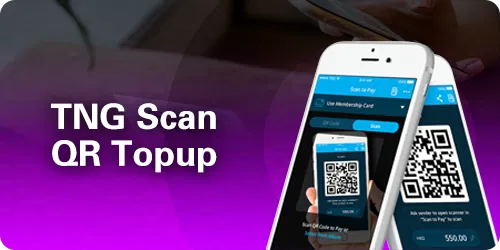
Complete TNG QR Code Deposit Guide
Scan a QR code to top up via TNG at LUCKY TOWN PLUS. Two convenient options are available: UPay TNG (standard process) and Go Pay TNG (requires entering your trading account name before scanning). Both methods provide fast and secure deposits.
View TNG Scan QR Top Up GuideTutorial 7: USDT Top Up at LUCKY TOWN PLUS
Complete Cryptocurrency Deposit Guide (USDT TRC20)
Deposit cryptocurrency at LUCKY TOWN PLUS using USDT on the TRC20 network. Choose your platform (Binance, Huobi, or others), scan the provided QR code, complete the transfer from your wallet, and submit your TXID. Deposits are typically processed within 10 minutes. Orders must be submitted within 30 minutes of the transfer.
View USDT Top Up GuideTutorial 8: Add Bank Account at LUCKY TOWN PLUS
Complete Bank Account Linking Guide for Withdrawals
Link your personal bank account to your LUCKY TOWN PLUS profile for secure and easy withdrawals. Select your bank from the extensive list of supported Malaysian banks, enter your account details accurately, and verify the addition with your 6-digit transaction PIN. This step is essential for all future withdrawals.
View Add Bank Account GuideTutorial 9: How to Withdraw Funds at LUCKY TOWN PLUS
Complete Bank Withdrawal Guide
Withdraw your winnings from LUCKY TOWN PLUS directly to your linked bank account. Minimum withdrawal is RM50, maximum is RM20,000 per transaction. You will need to verify the request with your 6-digit transaction PIN. Bank withdrawals are processed promptly. Ensure your bank account name matches your verified name on the platform.
View How To Withdraw GuideTutorial 10: USDT Withdraw at LUCKY TOWN PLUS
Complete Cryptocurrency Withdrawal Guide (USDT TRC20)
Withdraw your funds in USDT (TRC20) from LUCKY TOWN PLUS. Minimum withdrawal is 150 USDT, with a fee of 2 USDT. Carefully enter your USDT wallet address – transactions to wrong addresses cannot be recovered. Withdrawals are processed within 24 hours and include a manual security review.
View USDT Withdraw GuideTutorial 11: Exchange Currency at LUCKY TOWN PLUS
Complete MYR to THB and THB to MYR Conversion Guide
Easily convert between Malaysian Ringgit (MYR) and Thai Baht (THB) directly within the LUCKY TOWN PLUS app. Access the simple process through the Currency Exchange menu. Use the Malaysian version for MYR to THB conversion and the Thai version for THB to MYR conversion.
View Exchange Currency GuideTutorial 12: Change Login Password at LUCKY TOWN PLUS
Complete Login Password Update Guide
Update your LUCKY TOWN PLUS login password for enhanced security. This guide includes instructions for changing your password when you are already logged in (via Settings), as well as the step-by-step process for recovering a forgotten password using OTP verification sent to your registered phone number.
View Change Password GuideTutorial 13: Forgot Transfer Password at LUCKY TOWN PLUS
Complete Payment PIN Reset Guide
Reset your payment PIN (transaction password) at LUCKY TOWN PLUS if you have forgotten it. Verify your identity with an OTP sent to your registered phone number and then set a new 6-digit transaction password. This is essential for authorizing withdrawals and transfers.
View Forgot Transfer Password GuideTutorial 14: Lottery Betting Instructions at LUCKY TOWN PLUS

Complete 4D Lottery Betting Guide with Platform Codes
Learn how to place 4D lottery bets at LUCKY TOWN PLUS. This comprehensive guide covers platform codes (M=Magnum, P=Damacai, T=Toto, S=Singapore, B=Sabah 88, K=Sandakan, W=Sarawak, H=Grand Dragon, E=9Lotto), betting types (B/ S/ 4A), purchase forms (Single/Return/Box/i-Box/PH), and how to cancel bets.
View Lottery Betting InstructionsTutorial 15: 918KISS Game Guide at LUCKY TOWN PLUS

Complete 918KISS Access and Play Guide
Access and play 918KISS at LUCKY TOWN PLUS. Download the Android version, install it, and launch the game with automatic login and automatic fund transfer. No separate account is needed – it's seamlessly integrated with your main LUCKY TOWN PLUS account. (iOS users can check the app for alternative access methods.)
View 918KISS Game GuideTutorial 16: MEGA888 Game Guide at LUCKY TOWN PLUS

Complete MEGA888 Access and Play Guide
Play MEGA888 at LUCKY TOWN PLUS. Download the Android APK, use convenient test accounts (test1 to test10000, password Aa1234), copy your credentials from the platform, and transfer funds to start playing. Manual login is required. (iOS is not currently supported for this game.)
View MEGA888 Game GuideTutorial 17: Change App Icon at LUCKY TOWN PLUS
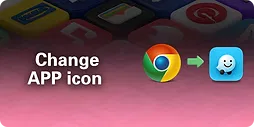
Complete App Icon Customization Guide
Personalize your LUCKY TOWN PLUS app icon with a variety of fun designs, including different LuckyTown styles, and creative takes on Instagram, Foodpanda, Monday, Grab, and Waze icons. The simple process is done through your app settings – select an icon, confirm the change, and the new icon appears instantly on your home screen.
View Change App Icon GuideTutorial Categories Summary at LUCKY TOWN PLUS
Account & Profile (6 Tutorials)
Recommend Friends, Real Name Verification, Add Bank Account, Change Password, Forgot Transfer Password, Change App Icon
Deposit & Top Up (5 Tutorials)
Bank Transfer, TNG Transfer, Duit Now, TNG Scan QR, USDT Top Up
Withdrawal (2 Tutorials)
How To Withdraw, USDT Withdraw
Currency Exchange (1 Tutorial)
Exchange Currency
Games (3 Tutorials)
Lottery Betting Instructions, 918KISS Game Guide, MEGA888 Game Guide
How to Use LUCKY TOWN PLUS Tutorials
Step 1: Find Your Topic of Interest
Browse the 17 tutorials listed above, each clearly marked with its own H2 heading for easy identification. Click on the topic that matches the feature you need help with.
Step 2: Click the CTA Button
Click the [View ... Guide] button next to your chosen tutorial to access the full, detailed, step-by-step instructions on that feature's dedicated page.
Step 3: Follow the Step-by-Step Instructions
Each dedicated tutorial page provides clear, numbered steps with thorough explanations to guide you through the process. Follow along directly in your LUCKY TOWN PLUS app.
Step 4: Contact Support If You Need Further Help
If you require additional assistance after following the tutorial, our team is ready to help. Contact LUCKY TOWN customer support via live chat, WhatsApp, or the in-app Helpdesk.
Frequently Asked Questions About LUCKY TOWN PLUS Tutorials
Are all tutorials available in English?
Yes, all LUCKY TOWN PLUS tutorials are provided in clear, simple English for your convenience and understanding.
How often are the tutorials updated?
Tutorials are reviewed and updated whenever features are enhanced or new options become available at LUCKY TOWN to ensure accuracy.
What if I can't find a tutorial for a specific feature?
If you cannot find a tutorial for a feature you need, please contact LUCKY TOWN PLUS customer support with your request. We are always working to add new helpful guides.
Can I suggest improvements to the existing tutorials?
Yes! We welcome all feedback. Please contact our support team with your suggestions for making our tutorials even better and more helpful for the LUCKY TOWN PLUS community.
Are there video tutorials available?
Currently, we provide comprehensive text-based step-by-step guides. Please check with our support team for the latest information on video tutorial availability.
How do I access a specific tutorial from this hub?
Simply scroll to the tutorial you are interested in and click on its corresponding [View ... Guide] button to go directly to that dedicated, full-length tutorial page.
Master Every Feature at LUCKY TOWN PLUS
Bookmark this central tutorials page and refer to it whenever you need help with LUCKY TOWN PLUS. From deposits to withdrawals, account setup to exciting games – we've got you covered with clear, step-by-step instructions.
Explore All LUCKY TOWN PLUS Tutorials